You are ready to place an order for corporate apparel with your logo, but you’re being asked for a “vector” version? What exactly is a vectorial logo? Here, we explain the difference between a vector file and a PNG/JPEG.
What is a vectorial logo?
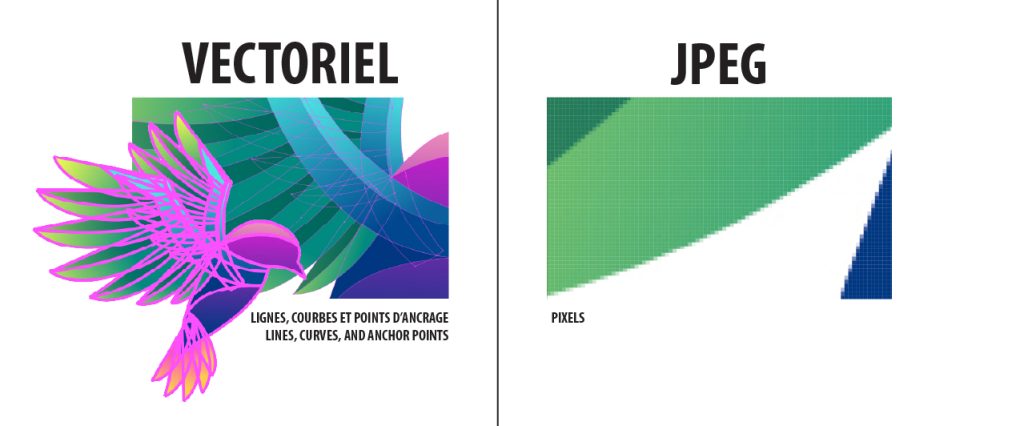
A vectorial logo is an image made of mathematical formulas (lines, curves, and anchor points) rather than pixels.
Common vector format examples:
- .AI (Adobe Illustrator)
- .EPS
- .SVG
- .PDF (Caution: Some PDFs are “rasterized.” If you open your PDF, zoom in to 400%, and the edges become blurry, it is not a vector file!)
Vector vs. Pixel
To understand the difference, imagine two ways of drawing a circle:
- JPEG or PNG (Raster/Pixel format): This is a grid of thousands of tiny colored squares. If you enlarge it, the image becomes blurry and “pixelated.” Like a photo, it has a fixed size.
- Vector: This isn’t an image; it’s a mathematical formula. The software doesn’t see dots; it sees coordinates.
The Golden Rule: A vector logo can be scaled from the size of a postage stamp to a highway billboard without ever losing a single ounce of quality.
Why is this crucial for your orders?
Every branding technique at Groupe Synapse has specific technical requirements. Here is why vector is your best ally.
Embroidery
To embroider your logo, we use “digitizing” software that converts the drawing into stitches. To create the embroidery “punch,” we must:
- Precisely trace every contour.
- Simplify zones to avoid unnecessary stitches.
- Adjust stitch spacing based on the fabric.
A vector file allows the software to follow perfect lines. With a blurry JPEG, the machine doesn’t know where to stop, and the final result risks looking messy or distorted. It is essential for clean, durable, and professional embroidery.
Heat Transfer (DTF)
Heat transfer allows for incredible detail, but for colors to be vibrant and contours to be sharp, the printer needs vectors. This also makes it easy to create a perfect “transparent background” so the logo integrates well into the fabric without unwanted white borders.
- Easy resizing without loss (very useful for placing the logo on different garments).
- Sharp contours (especially for text and simple logos).
- Easier to rework colors or add an outline if needed.
- Prevents pixelated artifacts when adjusting or enlarging.
Screen Printing
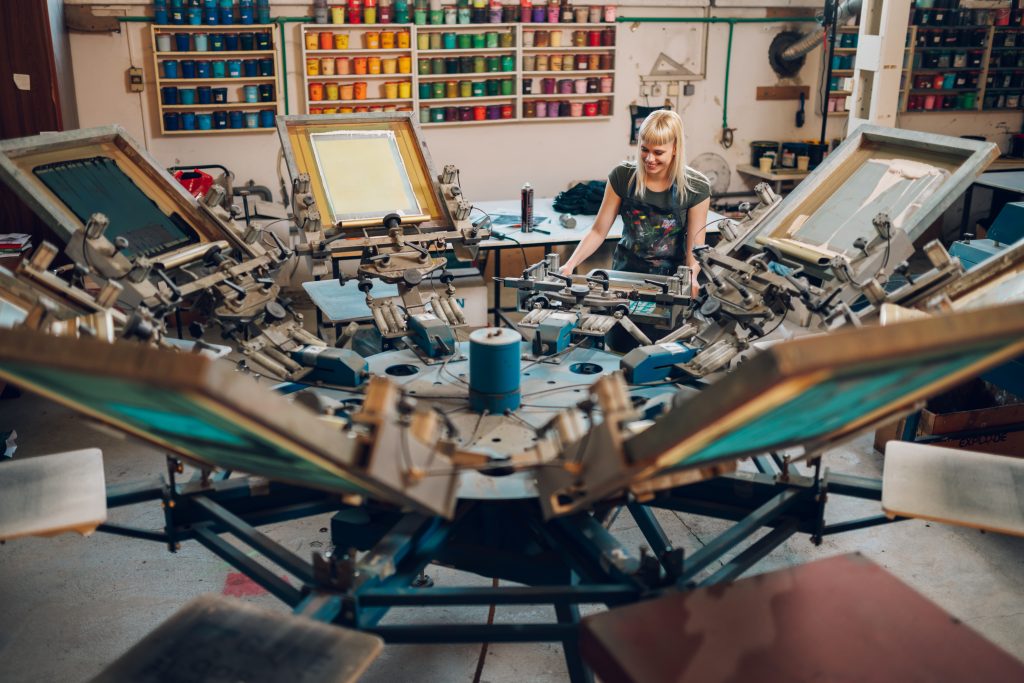
This is where vector files are indispensable. Screen printing uses screens (stencils) with a mesh. We must separate each color of the logo to create different screens.
It is essential to:
- Separate colors with high precision.
- Have sharp edges so the ink passes through correctly.
With a pixelated file, there is a high risk of blurry edges, imprecise color separation, a halo effect around the logo, or bleeding colors.
Summary: The Advantages of Vector
- Total Flexibility: Resize infinitely.
- Consistent Quality: Sharp contours, regardless of the medium.
- Easy Modification: Changing a color takes two seconds.
Investing in a vector logo isn’t just to make our lives easier—it’s the insurance that your brand image will remain professional on all media, today and ten years from now.
I don’t have a vector file, what do I do?
Don’t panic; this is a common situation. Here are your options:
- Contact your creator: The graphic designer or agency that designed your logo should provide this format. It is your property!
- Check your archives: Look for files ending in .ai, .eps, or .pdf.
- Entrust it to us: If your logo is truly lost or only exists as a small photo, the Groupe Synapse team can vectorize it for you. We will redraw every curve to restore its youth and flexibility.